Posts

Setting up APRS on the Raspberri Pi
Image
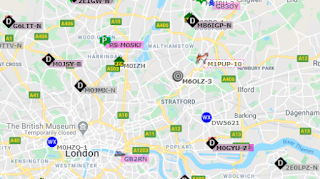
Creating a APRS gateway with a Raspberry Pi is not easy. It requires several complex steps, and mistakes can be made. In this guide, I'll show you how to run Hamlib, Direwolf and XASTIR on a Raspberry Pi on the easiest possible way. A small sample of APRS signals around London, from aprs.fi APRS is big fun. Creating an igate/digipeater is not. Specially not on a Raspberry Pi. This step by step guide shows how to make Hamlib, Direwolf and XASTIR work together to send and receive APRS packets from your Pi. Even if you have no previous knowledge about Raspbian, copying and pasting the commands below will lead you to a successful installation and configuration. 1. Install a Real Time Clock source via USB There's plenty of in-depth tutorials on how to do this. Probably the best one, in my personal opinion, is the video that Julian OH8STN has on YouTube . If you get confused by these commands, go and take a look at his video. Open a terminal in your Raspberry Pi and type these comman...
Making APRS work on the AnyTone AT-D878UV

Image
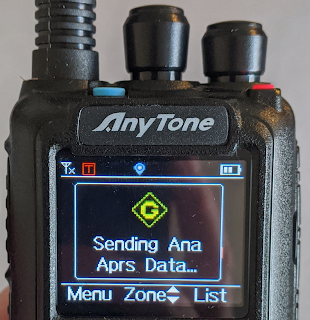
APRS is super cool. For this post, I've prepared a step-by-step guide to show you how to make APRS and DPRS work for the 878. The 878 TX-ing APRS in the European frequency APRS is super cool and extremely fun. In full honesty, I think that Anytone missed an opportunity to create a DMR radio with full APRS capabilities  with the 878. However, you can still send APRS and DPRS packages using this radio, both over analog APRS and over DMR. It-s simpler than it looks, it you follow the instructions carefully. The first thing you need to do is to activate the APRS functions in the programming software. In case you are not familiar with the Anytone programming software, I strongly encourage you to visit my previous post , that will show you how to create a basic codeplug. Once in the programming software, go to the Tools menu and click on Options, like this: Then, a new window will pop. Make sure you select both APRS and GPS, as in the next image: Once select...

Callsign routing in D-Star

Image
The following post summarizes the adventures of Matt (M0KJI) and Pablo (me, M0PQA): two middle aged men, less than 2 miles away from each other, trying to talk on their 7100s.  One of the features of D-Star that I enjoy the most is callsign routing. I enjoy what it does as much as how it does it. Using the IRC protocol for implementing call routing in the core of D-Star is an exercise of pure ingenuity that I truly appreciate. The ircDBB network. Diagram from here Callsign routing has been around in D-Star since forever. Even the now yellowish user manual of my 7100 shows how to do it. However, with the proliferation of hotpots, the backbone of callsign routing for D-Star decided to service only proper repeaters, and leave hotspots without access to their network. This decision triggered rapid changes in the default configuration of Pi-Star, the software that you are running in your hotspot, to make use of a different network, named Quadnet - www.openquad.net ...

Creating a DMR codeplug for the AnyTone AT-D878UV

Image
Few things in amateur radio are more frustrating  confronting a DMR handheld for the first time. In this post, I'll touch on the basics of a codeplug to help you overcome that frustration. Link to a working codeplug that you can borrow and adapt to your needs at the end. It also includes APRS and DPRS settings. By now, most of you have heard about DMR and the blockbuster Anytone 878. DMR has taken off as the leading digital voice mode due in good part to affordable handhelds and the ease of use of hotspots. Once properly setup, a DMR radio is simple to operate. However, loads of amateurs using a codeplug that was given to them, and that won't let them profit from any of the awesomeness of DMR. This post is for beginners that want to set up their brand new handies. I included my own codeplug at the end of this post. Step 1. Go get an ID This is not your callsign, but a number tied to your callsign. You will need it for the configuration of both your radio and you...